| ID |
Date |
Author |
Type |
Category |
Subject |
|
265
|
Mon Nov 13 11:23:54 2023 |
Jon | Update | CDS | CyMAC testing |
[Jon, Shane, Luis]
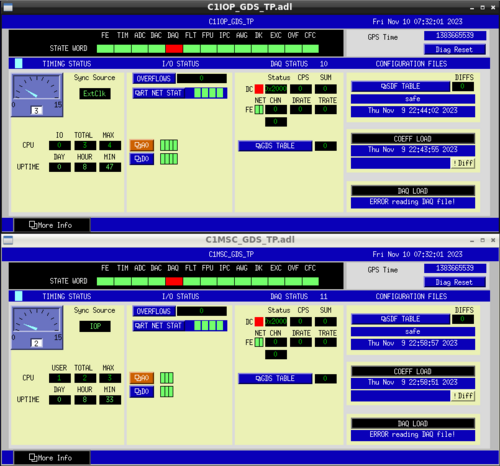
My repair of the internal ribbon connecting the ADC to the adapter board resolved the timing signal problem. After this repair, we were able to start the front-end IOP model and checked out the RTS diagnostic screens (pictured below). All indicator lights were green except for the DK flag (indicating the DAC outputs are not enabled) and the DAQ flag (indicating that the system is recording data to disk). Those were both as expected, because the DAQD data acquisition service was not set up yet and the DAC outputs are not enabled until at least one user model (which outputs signals to the DAC) is started. I created and installed a simple user model (C1MSC) and confirmed that the DK flag clears once this model starts.
I later attempted to set up the DAQD service, which is needed to save data, but am yet to successfully debug it. I have received some guidance from one of LIGO's CDS experts and will try it at my next opportunity for lab work. |
| Attachment 1: Cymac_GDS_Diagnostics.png
|
|
|
2
|
Thu Jun 2 16:14:58 2022 |
Jon | HowTo | General | Custom conda environment on JupyterHub |
Cross-linking instructions: How to run a Jupyter notebook in your custom Conda environment |
|
3
|
Thu Jun 2 21:55:02 2022 |
Jon | Update | Cameras | FLIR Camera Setup |
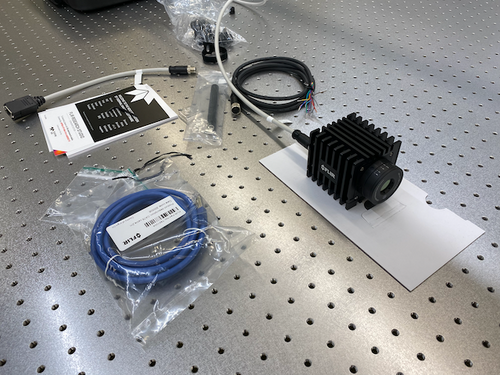
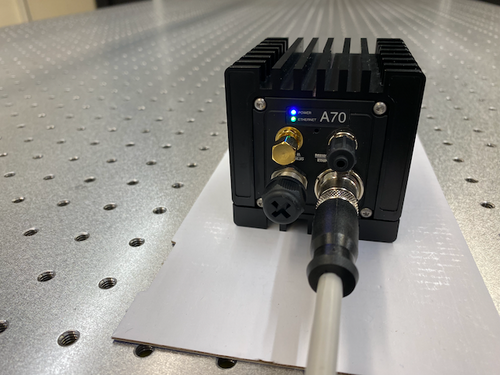
The new FLIR A70 infrared camera has arrived. Tyler and I unpacked it in the lab yesterday. In less than an hour, we succeeded in powering it on and connecting it to the lab network. We have assigned it the static IP address 192.168.1.6.
Online Configuration Portal
The FLIR camera can be configured, as well as stream live data, through a web browser interface. It can be accessed from any workstation on the lab network by navigating in the browser to http://192.168.1.6. The login credentials are stored here (log in with your LIGO.ORG credentials).
Next Steps
The next step is to install FLIR's Python API for controlling and reading out the camera on chimay. The API comes with demo codes which we can use to test the basic connectivity and which will serve as a reference for developing our own Python interface over the summer. |
| Attachment 1: IMG_1473.png
|
|
| Attachment 2: IMG_1474.png
|
|
|
4
|
Fri Jun 3 13:03:33 2022 |
Jon | Update | Cameras | FLIR Camera Setup |
Summary
I have installed the requisite software on chimay for interfacing the FLIR A70 camera in Python. There are two packages required from FLIR:
- Spinnaker SDK, which provides the low-level camera drivers and a C/C++ API.
- PySpin, a wrapper of the Spinnaker library which provides the Python API.
These installations did not work out-of-the-box for Debian 11 (only Ubuntu is officially supported). I had to make several modifications which are documented below for future reference.
This setup has not yet been tested with the camera connected to chimay.
Documentation and Demo Codes
The PySpin package comes with a number of Python demo codes and a complete API reference. These can be found on chimay at the following locations.
- Example codes:
/opt/spinnaker/python/Examples/Python3/
- Python API reference manual:
/opt/spinnaker/python/docs/PySpinDoc.pdf
Installing Spinnaker SDK
Below were the steps required to install Spinnaker on chimay (Debian 11).
- Download the Spinnaker binaries (AMD64 architecture) and copy the tarball to, e.g.,
/home/controls on chimay.
- Unpack the tarball contents and enter the new directory:
$ tar -xf spinnaker-2.6.0.160-Ubuntu20.04-amd64-pkg.tar.gz
$ cd spinnaker-2.6.0.160-amd64
$ sudo apt-get install libavcodec58 libavformat58 \
libswscale5 libswresample3 libavutil56 libusb-1.0-0 \
libpcre2-16-0 libdouble-conversion3 libxcb-xinput0 \
libxcb-xinerama0
qt5-default, which is obsolete in Debian and no longer available via the package manager (that is, its functionality was absorbed into other Qt packages). I was able to find a workaround based on these instructions.
- Install all the dependencies of
qt5-default:
$ sudo apt-get install qtbase5-dev qtchooser qt5-qmake qtbase5-dev-tools
- Manually remove the
qt5-default dependency from the Spinnaker package.
Unpack the spinview-qt_2.6.0.160_amd64.deb package:
$ mkdir tmp
$ cd tmp
$ ar -x ../spinview-qt_2.6.0.160_amd64.deb
$ tar xf control.tar.xz
Open the file control in a text editor and delete the qt5-default dependency from the Depends list.
Then repackage the contents:
$ tar cfJ control.tar.xz control
$ ar rcs ../spinview-qt_2.6.0.160_amd64.deb debian-binary control.tar.xz data.tar.xz
$ cd ..
$ rm -rf tmp
qt5-default dependency.
- Now proceed with running the install script:
$ sudo sh install_spinnaker.sh
This will install the Spinnaker library at /opt/spinnaker. Spinnaker also provides a standalone GUI application, SpinView, which can be executed from the terminal (from any directory) via the command spinview.
Installing PySpin
The main challenge with installing PySpin was that it is currently only supported for Python <=3.8. The system installation on Debian 11 is Python 3.9 and 3.8 is not available within the package manager. Following these instructions, I manually installed a second version of Python (3.8) on chimay, in a way that should not interfere with the system installation.
The Python 3.8 executable is in the system path and can be run only via the command python3.8. It is not symlinked to python or to python3. Those remain linked to the preexisting Python 3.9.
After installing Python 3.8, I proceeded with the installation as follows:
- Download the PySpin package (x86_64 architecture) and copy the tarball to, e.g.,
/home/controls on chimay.
- Unpack the tarball contents and into a new directory:
$ mkdir python
$ mv spinnaker_python-2.6.0.160-Ubuntu20.04-cp38-cp38-linux_x86_64.tar.gz python
$ tar xf spinnaker_python-2.6.0.160-Ubuntu20.04-cp38-cp38-linux_x86_64.tar.gz
- Move the new directory into the Spinnaker installation directory:
$ sudo mv python /opt/spinnaker
$ cd /opt/spinnaker/python
- Install the dependencies:
$ sudo python3.8 -m pip install --upgrade numpy matplotlib
- Finally, install PySpin itself:
$ sudo python3.8 -m pip install spinnaker_python-2.6.0.160-cp38-cp38-linux_x86_64.whl
If this succeeded, you should now be able to enter import the package PySpin as
$ python3.8
>>> import PySpin
without error. |
|
5
|
Mon Jun 6 17:11:48 2022 |
Jon | Update | Cameras | FLIR Camera Setup |
Today I tested the Spinnaker/PySpin software installations (detailed in ELOG #4) with the FLIR camera connected to chimay. It works!
Example codes
I was able to run several of the PySpin example codes. In particular, there is one which connects to the camera and streams live data to a pop-up Matplotlib window that looks very useful. It is called AcquireAndDisplay.py.
When running these, it is important to keep in mind that PySpin requires Python 3.8, which is not the default system version on chimay. So to run AcquireAndDisplay.py, for example, you must explicitly call the correct version of Python:
$ python3.8 AcquireAndDisplay.py
The standard python and python3 aliases are still linked to the system version (3.9), so calling these will result in a PySpin import error.
Git repository
I have set up a git repo for our FLIR camera control code. I have populated it with an Examples directory which contains the PySpin Reference Manual as well as all the example codes (see the README). There is a local copy of this repo on chimay at /home/controls/FLIR.
Other FLIR streaming software
In addition to the PySpin demos, there are several fully developed applications provided by FLIR. While we do not plan to use these long term, they may be very useful for debugging and cross-validation of our Python interface during development:
- Browser interface: From any web browser on the local lab network, navigate to http://192.168.1.6 and log in (credentials here). This interface supports live data streaming as well as full control of the camera settings.
- SpinView: A standalone application provided as part of the Spinnaker SDK. It supports streaming live camera data as well as saving images and videos. It can be launched from the terminal on chimay via the command: $
spinview
- Research Studio: This is FLIR's proprietary software, for which we have a one-year license. It can be launched from the terminal on chimay via the command:
$ FLIRResearchStudio
Permanent cabling
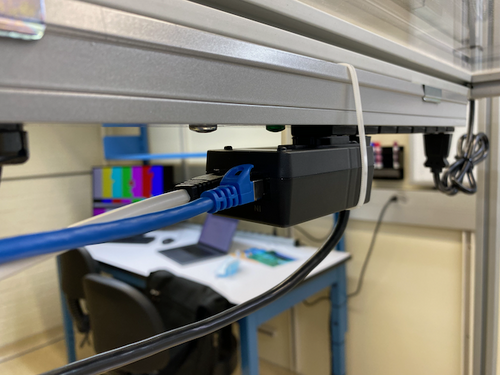
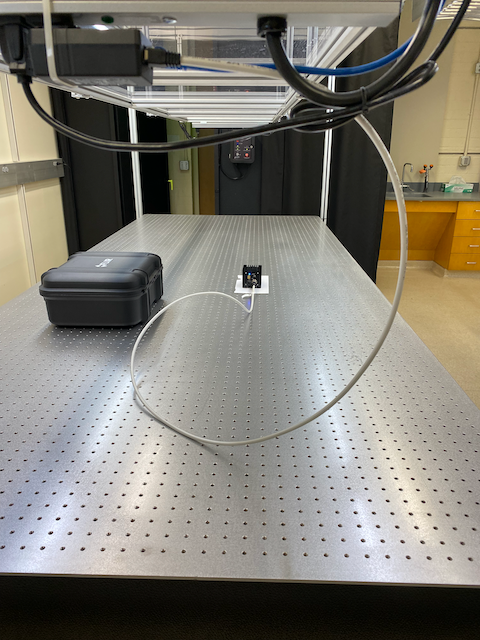
Since everything appears to be working, I ran a permanent Cat 6 cable from the lab switch to the camera's power+I/O adapter. The adapter is plugged into a UPS-protected power strip overhanging the optical table, as pictured below. To prevent the adapter from unplugging itself under its own weight, I attached a zip tie around the adapter to hold it securely in place. |
| Attachment 1: IMG_1480.png
|
|
| Attachment 2: IMG_1481.png
|
|
|
7
|
Mon Jul 11 14:29:45 2022 |
Jon | Omnistructure | General | HEPA filter installed |
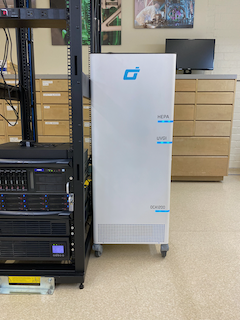
| Today I unpacked and installed the new HEPA filter for the lab. It is an Omni CleanAir OCA1210 capable of 1200 CFM. This flow rate is sufficient to turn over the air in the room once every 4 minutes, or 14 times per hour. Hopefully this will cut down on our particulate accumulation issues. |
| Attachment 1: IMG_1530.png
|
|
|
13
|
Wed Dec 14 17:35:41 2022 |
Jon | Infrastructure | Computers | Windows Laptop |
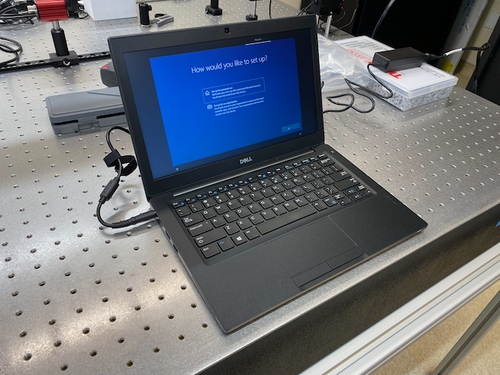
I set up the new Windows 10 laptop (pictured below), which arrived yesterday. This laptop is intended to be used for running lightweight Windows-only programs, such as the Thorlabs beam profiler software or the SRS RGA client. However, none of that software is installed yet.
Configuration details
As usual, the computer is configured with one shared account (username: controls) and the standard password. Note that it is connected to the campus wifi (UCR-SECURE).
If a connection to the lab's local network is required, then the laptop must be connected by an Ethernet cable to the switch in the top of the server rack. |
| Attachment 1: laptop.png
|
|
|
14
|
Wed Dec 14 18:34:33 2022 |
Jon | Configuration | Electronics | Adapter for 532 nm laser power supply |
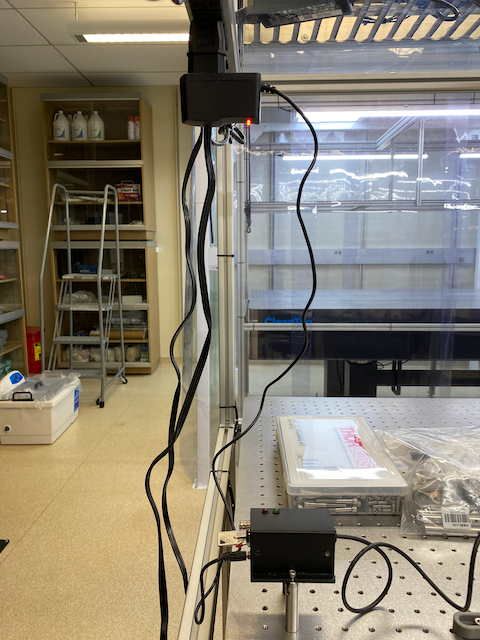
| I installed an EU-to-US plug adapter for the 532nm laser's 9V power supply. I then re-measured the laser's power with the correct supply voltage (previously we had been using a 6V supply). At 9V, the max power is 0.83 W, so the laser is confirmed to be Class 2 as labeled. |
| Attachment 1: laser_power.png
|
|
|
24
|
Tue Feb 7 17:44:17 2023 |
Jon | Infrastructure | Computers | Workstation 1 (ws1) set up |
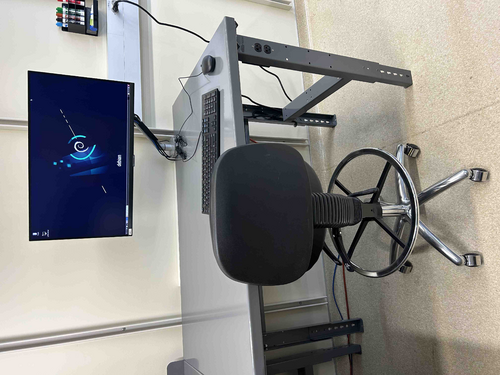
| The Linux workstation (ws1) that used to sit on the old workbench has been mounted on the new electronics bench and is now ready for use again. I upgraded the OS to Debian 11.6 and also upgraded the CDS workstation tools. |
| Attachment 1: ws1.jpg
|
|
|
39
|
Wed Mar 1 21:27:20 2023 |
Jon | Infrastructure | Cleanroom | Over-table shelf height raised |
Jon, Cao
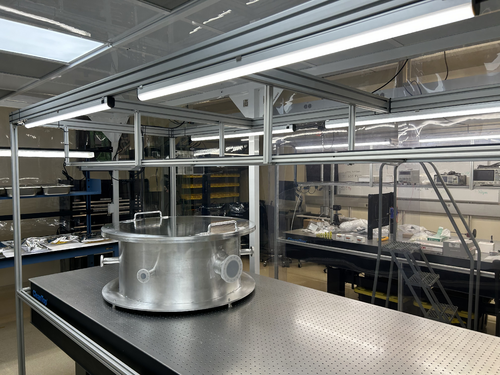
Today we raised the height of the shelf overhanging the cleanroom laser table by 8 inches. This was done to create more vertical clearance between the top-loading vacuum chamber and the bottom of the shelf. The added clearance should make both removing the chamber lid and inserting large parts easier.
The procedure required unmounting the shelf and removing all eight vertical support posts (1" x 1" x 18.5" pieces of 80/20 unistrut). The support posts were taken to the machine shop and cut, retapped, and cleaned (coarsely, with IPA wipes) prior to reinstallation. We took care to minimize the contamination introduced into the cleanroom, but some amount of particulate from disturbing the shelf was unavoidable.
This work is completed, and the cleanroom is now ready for final cleaning (HEPA vac, mopping, and wiping down of all surfaces including the softwalls). |
| Attachment 1: cleanroom-shelf.jpg
|
|
|
40
|
Wed Mar 1 21:50:46 2023 |
Jon | Infrastructure | Computers | Workstation 2 (ws2) mounted on cleanroom cart |
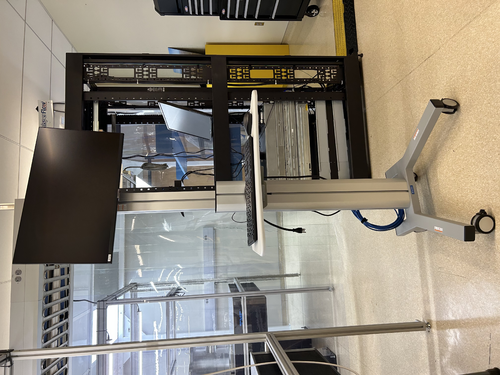
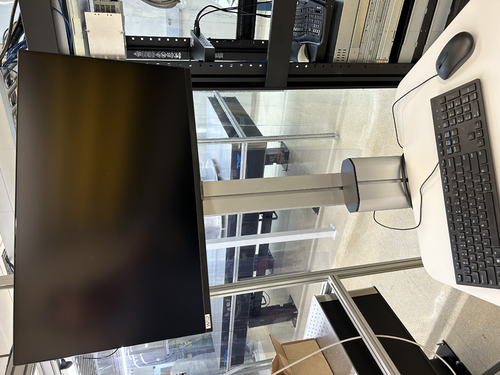
The Linux workstation (ws2) that used to sit on the blue workbench (now inside the cleanroom) has been mounted on a mobile cart, as pictured below. This is intended to be a clean cart that will be housed inside the cleanroom.
The cart is currently dirty and will need to be throughly wiped down (along with the computer monitor and peripherals) prior to being moved into the cleanroom. Once the cleaned cart has been moved inside, it should never be brought back outside the cleanroom and should never be touched with ungloved hands.
I also upgraded the OS to Debian 11.6 and upgraded the CDS workstation tools. |
| Attachment 1: ws2_cart-1.jpeg
|
|
| Attachment 2: ws2_cart-2.jpeg
|
|
|
44
|
Mon Mar 6 15:32:58 2023 |
Jon | Infrastructure | General | Cabinet installation completed |
Jon, Cao, Peter
This morning Facilities delivered and installed two new cabinets with sliding glass doors.
The smaller of the two (36" W x 13" D x 84" H) has been installed in the Clean & Bake area adjacent the flow bench. The larger one (48" x 16" D x 84" H) has been installed in the back of the room next to the electronics bench. Both cabinets have been securely anchored to the wall in two places each for earthquake safety.
We also installed the sliding glass doors and leveled them. However, we have not installed any of the shelves yet because the cabinets are quite dirty from the installation. Everything needs to be wiped down with IPA wipes, and it will be easier to do that before the shelves are in place. |
| Attachment 1: IMG_0088.jpg
|
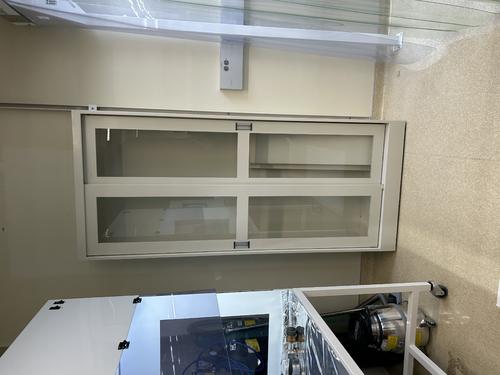
|
| Attachment 2: IMG_0089.jpg
|
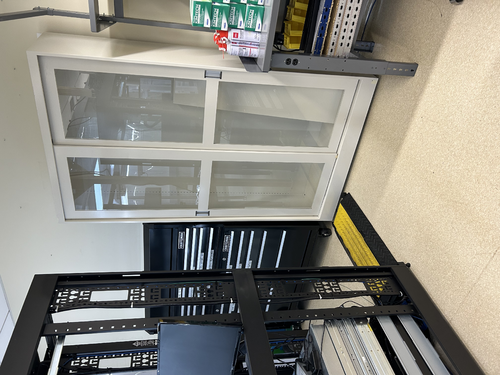
|
|
53
|
Wed Mar 22 12:16:20 2023 |
Jon | Infrastructure | Cleanroom | Experimenting with HEPA fan speeds |
Jon, Cao
In effort to try to reduce the noise level inside the cleanroom, we have dialed all four HEPA fan-filter units (FFUs) down from HIGH to MEDIUM speed. These dials can only be accessed from inside the cleanroom, by bringing in the large ladder and opening adjacent ceiling tiles.
We tested three configurations, in each case with all the FFUs on either HIGH (initial state), MEDIUM, or LOW. We measured the ambient noise in each configuration.
| Fan speed |
Noise inside cleanroom (dB) |
Noise outside cleanroom (dB) |
| HIGH |
80 |
70 |
| MEDIUM |
74 |
66 |
| LOW |
71 |
66 |
Going from HIGH to MEDIUM yields the largest improvement, reducing the ambient sound intensity by 6 dB (i.e., by a factor of 4, corresponding to a ~35% reduction in perceived volume).
An additional 3 dB of noise reduction can be achieved by further reducing the fan speeds to LOW. However, even after allowing some extended settling time (few hours), we found the particle counts to be fluctuating right at the threshold zone for ISO Class 5. Thus we dialed the fan speeds back up to MEDIUM with the expectation that this will be sufficient for Class 5 performance.
The cleanroom now needs to be recertified with a fresh round of five-zone particle count measurements. |
|
56
|
Fri Mar 24 07:14:38 2023 |
Jon | Infrastructure | Computers | Workstation 2 (ws2) mounted on cleanroom cart |
| The ws2 cart has been thoroughly wiped down with IPA wipes and moved inside the cleanroom. I have reconnected it to power and Ethernet (cables bundled and ran to the server rack just outside the cleanroom). It is ready for use.
| Quote: |
The Linux workstation (ws2) that used to sit on the blue workbench (now inside the cleanroom) has been mounted on a mobile cart, as pictured below. This is intended to be a clean cart that will be housed inside the cleanroom.
The cart is currently dirty and will need to be throughly wiped down (along with the computer monitor and peripherals) prior to being moved into the cleanroom. Once the cleaned cart has been moved inside, it should never be brought back outside the cleanroom and should never be touched with ungloved hands.
I also upgraded the OS to Debian 11.6 and upgraded the CDS workstation tools. |
|
|
63
|
Tue Apr 4 16:43:53 2023 |
Jon | Update | VLC Electronics | Additional Thorlabs PDA10A2 |
| I ordered a second PDA10A2 and mounting post + spacer (which puts the aperture at the VLC's standard 3" beam height). These arrived today and I delivered them to the lab. They are sitting on the VLC table near the laser. |
| Attachment 1: PDA10A2.png
|
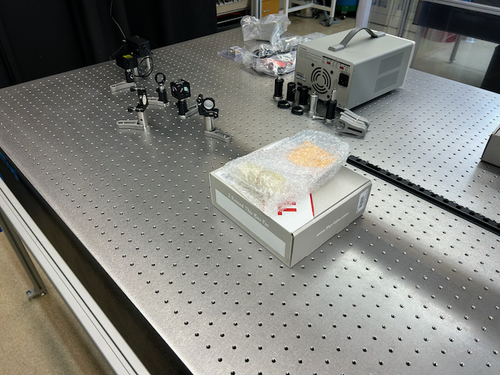
|
|
64
|
Tue Apr 4 16:52:08 2023 |
Jon | Update | Cleanroom | Particle counter docking station |
| Due to the problems we have encountered trying to serially communicate directly with the Met One DR-528 particle counter, I went ahead and ordered the add-on communications/charging dock. The dock "ethernetizes" the serial communications by wrapping them in TCP packets and transmitting them over the lab network. This will allow our Python code to communicate using the standard Internet sockets package, rather than PySerial, PyNut, etc.
the docking station arrived today and I delivered it to the lab. I left it laying next to the particle counter in the electronics rack. |
| Attachment 1: Met_One_Dock.png
|
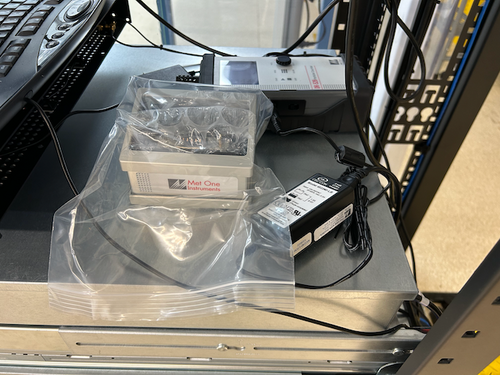
|
|
74
|
Fri Apr 21 00:06:43 2023 |
Jon | Update | VAC | Vacuum prep and installation - parts have arrived |
The two parts needed to complete the vacuum assembly (ELOG 70) have arrived.
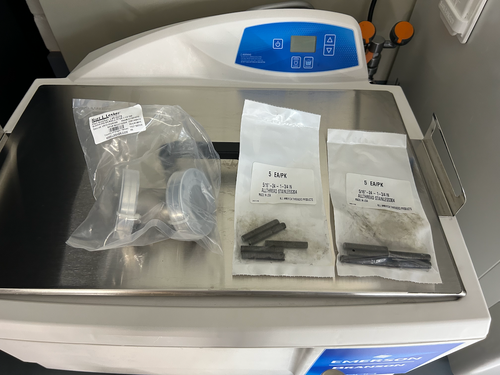
- (10) 5/16"-24 x 1 3/4" threaded rods - for attaching the turbo pump reducing nipple to the CF 4.5" gate valve;
- (1) 45 degree CF 2.75" elbow for attaching the calibrated Ar/He leak to the chamber.
I left them laying on top of the ultrasonic washer. They both need to cleaned and baked following the standard procedure for stainless steel, as the threaded rods are visibly dirty. |
| Attachment 1: SS_parts.png
|
|
|
78
|
Tue Apr 25 11:56:37 2023 |
Jon | Update | VLC Electronics | Red Pataya has arrived |
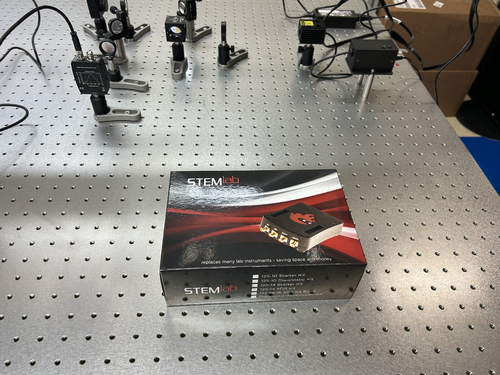
| The Red Pataya 125-14 starter kit that we ordered for locking the 532 nm cavity has arrived. I left it laying on the optical table near the laser. |
| Attachment 1: Red_Pataya.jpg
|
|
|
82
|
Thu Apr 27 21:43:07 2023 |
Jon | Physics | VAC | Grounding vacuum system |
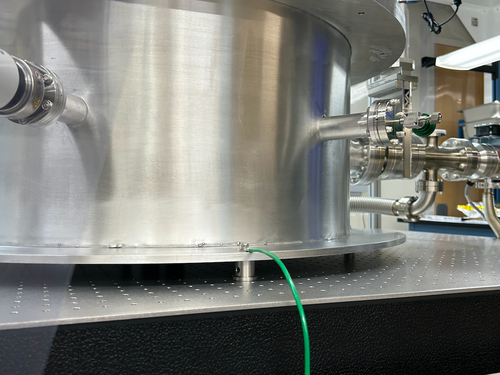
This afternoon I made up a green 10 AWG grounding cable and connected it to the vacuum system.
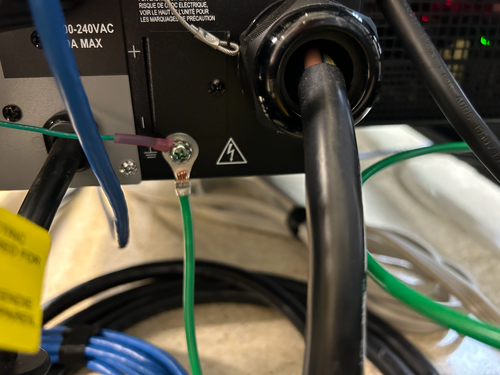
One end is tightly connected to the bottom flange of the vacuum chamber (photo 1). It is run along and up the table framing to the top of the cleanroom, where it exits into the overhead cable tray in the same location as the other power cables. It drops down from the top of the server rack all the way to the bottom, where the other end is connected to the lab's electrical ground in the rear of the 240 V UPS (photo 2).
The connections were confirmed to be secure, but continuity testing with an ohmmeter remains to be done to confirm that the chamber and tabletop are indeed grounded. |
| Attachment 1: IMG_0141.png
|
|
| Attachment 2: IMG_0140.png
|
|
|
94
|
Tue May 9 15:49:20 2023 |
Jon | Infrastructure | VAC | Permanent cable routing |
Today I brought in a fresh supply of zip ties (we now have 1500 in the tool chest) and used them to permanentize the cable routing for the gauges, pumps, and RGA.
I also brought and installed a 3-foot 15A extension cable for powering the scroll pump. Installing the cable required shutting down the pumps, which I did and then reverted via the following procedure:
- Close the 4.5" gate valve, 2.75" gate valve, and the bypass line angle valve.
- Shut down the turbo pump.
- Shut down the scroll pump.
- Unplug the scroll pump and install the extension cable.
- Power on the scroll pump.
- Power on the turbo pump.
- Open all three valves.
Incidentally, before I started, I noticed that the pressure in the main volume had reached 7E-7 torr, which is lower than the pressures seen last week. The system quickly returned to this pressure after I restarted the pumps. |
|
95
|
Tue May 9 20:55:12 2023 |
Jon | Infrastructure | VAC | Calibrated Ar leak rate |
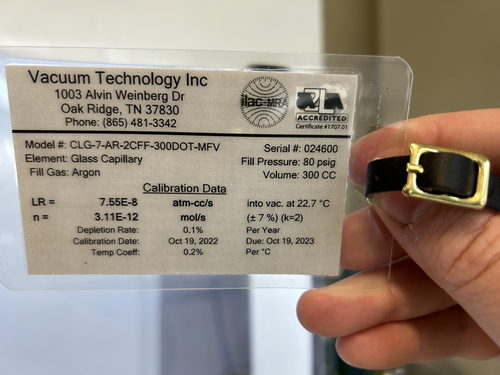
For future reference, the calibrated Argon source has a leak rate of 7.55E-8 atm cc/s, or equivalently 5.74E-8 torr L/s. This can be used to calibrate RGA scans to units of physical leakage (outgassing) rate. |
| Attachment 1: VTI-Calibrated-Ar-Leak.jpeg
|
|
|
136
|
Tue Jun 27 21:47:56 2023 |
Jon | Infrastructure | VAC | Vacuum chamber bake attempt 1 |
The electrical overload problem encountered in ELOG 130 has been resolved. The two heater controllers, which draw up to 14.1 A each, overloaded the UPS and tripped one of its circuit breakers, shutting off power to both power strips mounted above the optical table.
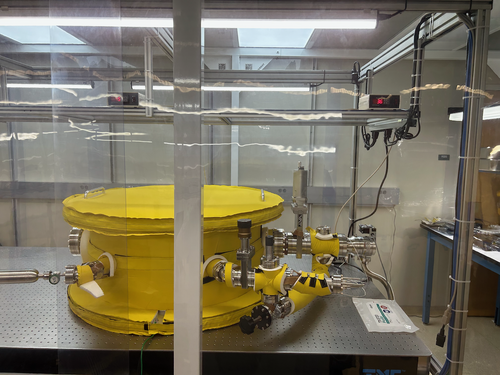
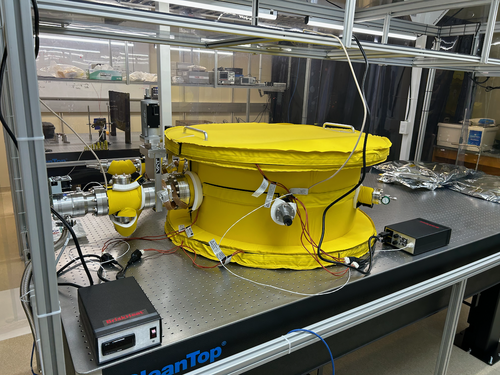
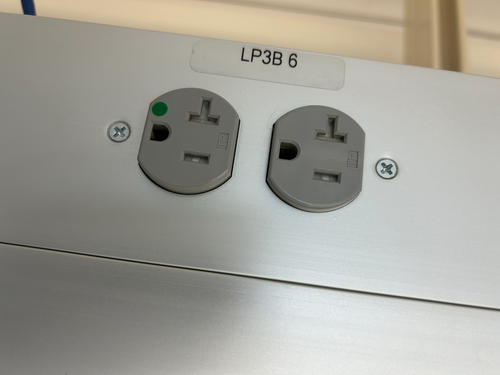
I reset the circuit breaker and rerouted the two heater power cables instead to two separate 20 A outlets in the overhead cable tray outside the cleanroom (both on the LP3B 6 circuit). The two high-limit temperature controllers are now permanently positioned, as shown in the photos. For now, the PID controllers have been left sitting at the table level. I am ordering extension cords that will enable us to move those up to the overhead shelf, as well. I ran the heaters in their new configuration for several minutes without issue. Thus we should be able to now proceed with baking the chamber.
For future clarity, I added labels to power strips around the lab indicating which ones are powered by the UPS. To avoid overloading the UPS, only sensitive electronics or devices that could be damaged by a sudden loss of power should be connected to these. |
| Attachment 1: IMG_0256.png
|
|
| Attachment 2: IMG_0257.png
|
|
| Attachment 3: IMG_0254.png
|
|
|
154
|
Thu Jul 13 15:31:21 2023 |
Jon | Update | General | Ant traps placed around lab |
In response to reports that ants have been observed in the lab, I placed five ant bait traps around the room today. Each is sitting on the floor on top of a piece of aluminum foil, in areas unlikely to be inadvertently stepped on. They contain liquid which will spill out if picked up, so please take care not to disturb them. |
|
155
|
Thu Jul 13 16:59:03 2023 |
Jon | Update | General | Ant traps placed around lab |
Update: After seeing the strong response to the first set, I redistributed them to the hottest spots and added one more trap.
| Quote: |
|
In response to reports that ants have been observed in the lab, I placed five ant bait traps around the room today. Each is sitting on the floor on top of a piece of aluminum foil, in areas unlikely to be inadvertently stepped on. They contain liquid which will spill out if picked up, so please take care not to disturb them.
|
|
|
170
|
Mon Jul 24 14:55:53 2023 |
Jon | Update | VAC | Removed extension power cable |
| I removed the extension cable that was powering the leftmost heater controller, since there is no bake currently happening. It is currently powering the LED over the electronics bench, and can be removed if needed. I will be ordering more extension cords to permanentize our setups. |
|
198
|
Wed Aug 9 11:32:56 2023 |
Jon | Infrastructure | General | New power cables |
I delivered new NEMA 5-15 (120V / 15 A) power cables to the lab for the following items:
- WS2 (cleanroom) cart - 10ft cable
- Electronics workbench overhead LED - 10ft cable
- Both PI heater controller sets - (2) 6ft cables
I installed the new cables on the WS2 cart and the workbench myself, and left the two 6ft cables (as pictured below) for Aiden to install on the PID controllers after the current bake is finished. |
| Attachment 1: IMG_0299.jpg
|
|
|
202
|
Thu Aug 10 15:10:12 2023 |
Jon | Update | VAC | VAC System Heating Update |
| I shut down the turbo pump since this is evidently a large leak. We CANNOT turn on the RGA for leak checking with the pressure above 1E-5 Torr.
I think we will have to manually inspect it. The most likely cause would be that the Viton seal around the lid overheated and failed.
| Quote: |
| Came in to install one of the Full range gauges. Checked the temperature first of the cross and it was reading 30 C. After installing the gauge above the RGA line the controller was reading 2E-1 torr. Installed the other full range gauge to confirm this and it also read that pressure. There may be a leak so I will let it sit for a bit and then perform a Helium leak test. |
|
|
238
|
Wed Oct 11 20:47:11 2023 |
Jon | Update | VAC | Vacuum upgrade begins |
[Jon, Tyler, Aiden, Peter]
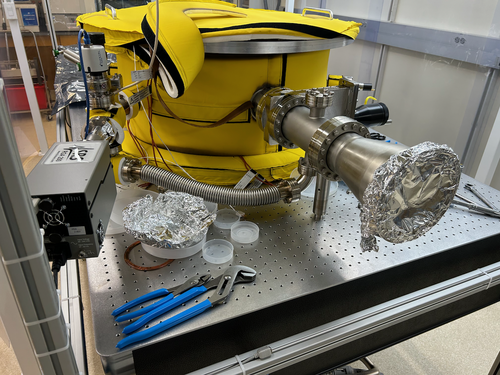
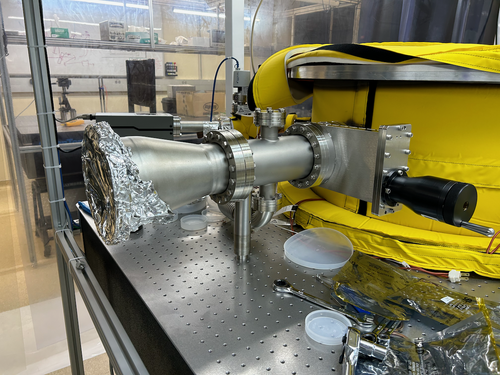
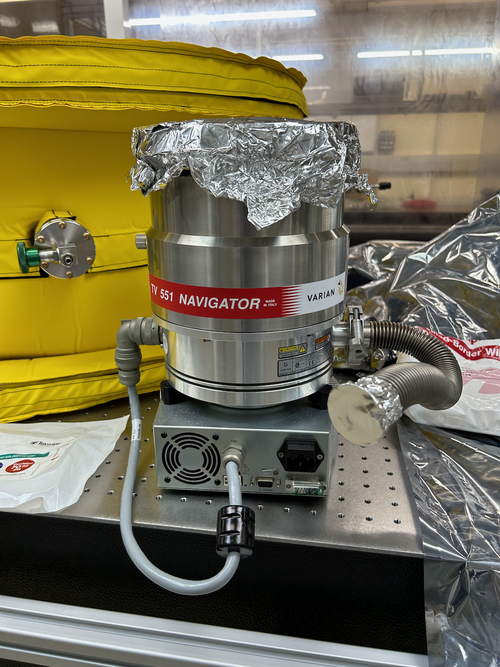
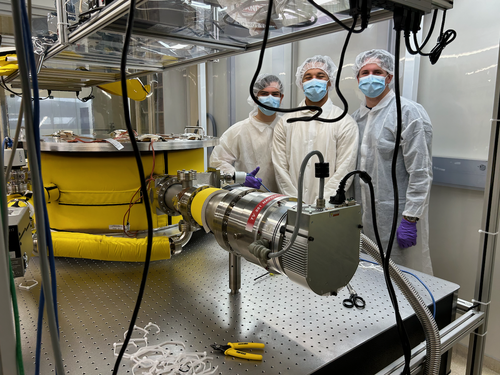
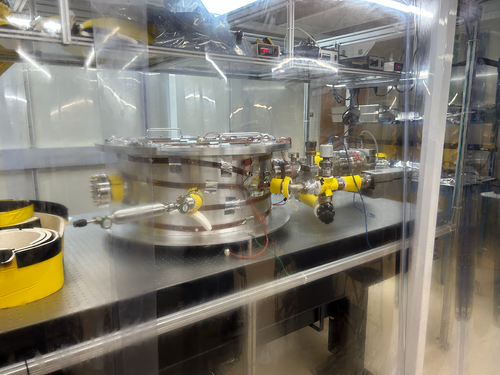
Upgrade of the UHV system to a larger turbo pump began today. After obtaining a final RGA scan in the old configuration (Aiden to post), we vented all three volumes and proceeded to disassemble the 4.5"-diameter pump line. We completed installation of the new 6"-diameter pump line to the point where the new turbo pump will attach. This includes a 6" manual gate valve, 6"/2.75" reducing cross, and 6"/8" conical reducing nipple, as pictured below. Strain relief was also installed due to the longer length and greater weight of the new fittings.
Tomorrow we will continue with attaching the Varian TV 551 pump and perform a pump-down test. If this pump is confirmed to be operable, then we will relocate the entire system ~18" closer to the middle of the table and permanentize the setup. |
| Attachment 1: IMG_0619.png
|
|
| Attachment 2: IMG_0621.png
|
|
| Attachment 3: IMG_0618.png
|
|
|
248
|
Mon Oct 30 08:42:22 2023 |
Jon | Update | VAC | Vacuum Leak Test |
By 5:30 pm Friday, the pressure had reached 8.6e-8 torr and was continuing to fall. So it seems we are OK to proceed with permanentizing this configuration (cable routing, heater tape reinstallation).
| Quote: |
| Leak tested the worst flanges on the chamber after moving it and after bake 6. The 6 inch flange connected to the 8 inch reducing nipple is now leaking at 1.5 e-9, previously at 4 e-9. The 8 inch flange connected to the turbo pump is now leaking at 1.9 e-9, previously at 3 e-9. This means that the baking most likely improved the seals on these flanges and a hotter bake might fix the leaks for good. |
|
| Attachment 1: IMG_0659.png
|
|
| Attachment 2: IMG_0660.png
|
|
|
257
|
Wed Nov 8 17:55:49 2023 |
Jon | Update | General | Lab Clean-Up Day 1 |
[Jon, Tyler, Shane, Peter, Luis]
Today we completed the first phase of lab clean-up. Activities included:
- CF/KF parts stored under the cleanroom table were removed and transferred to Physics 1129
- Cleanroom workbench cleared, with all FROSTI hardware collected into one of the large SS bins
- High surfaces outside the cleanroom (lights, table enclosure frames, rack, cabinets) wiped down with IPA wipes
- Floor HEPA-vacuumed outside the cleanroom
- Sticky mats changed throughout the lab
Tomorrow, we will complete turn-over of the cleanroom (HEPA vacuuming of floors, mopping of floors, IPA wiping of softwalls and work surfaces). Shane will post a forthcoming measurement of the cleanroom particulate levels, post-turnover. |
|
261
|
Fri Nov 10 08:32:34 2023 |
Jon | Update | VAC | RGA experiments |
I ran a 3-minute degas cycle of the RGA filament for the first time yesterday (in this process, the filament gets very hot in order to "boil off" settled particulate). I was surprised to see the pressure (of not just the RGA volume, but also the main volume) rise from 2e-8 to 5e-6 torr.
This observation, plus the rise in pressure seen every time the filament is activated for an RGA scan, indicates we have significant particulate settling on the RGA filament. This may be systematically biasing RGA scans taken within a short time (~15 minutes) of turning on the filament.
I have two ideas to reduce particulate on the RGA. However, before implementing these, I first want to consult with the vacuum experts at LIGO Lab.
- Run a second RGA degas cycle, but next time with the main volume valved off with only the RGA volume being pumped (through the bypass line). This will prevent "boiled off" particulate from entering the main chamber and will also increase the pumping rate for the RGA volume, reducing the amount of particulate that resettles on the RGA filament.
- I also noticed that the SRS manual states that the filament is designed to be long-lived and it is recommended to leave it on any time the RGA is on. By leaving the filament on all the time (i.e., hot), we could reduce the amount of particulate that is evidently settling on it between scans. I am checking whether LIGO Lab does this in their own chambers.
|
|
266
|
Tue Nov 14 17:21:40 2023 |
Jon | Update | VAC | RGA best practices |
As a follow up ELOG 261, I have received advice from one of the vacuum experts at LIGO Hanford on best practices for our RGA:
-
For future RGA degassing, definitely keep the main volume isolated, since it could contaminate the main volume with everything that just got cooked off of the filament. So the procedure should be to (i) close both gate valves, (ii) ensure the angle valve on the bypass line is open, (iii) initiate the degas cycle on the RGA, (iv) pump the RGA volume through the bypass line, until its pressure returns to its pre-degas level.
-
Repeated degassing of the filament will definitely wear it down much faster, so do this operation sparingly.
-
As long as the pressure of the RGA volume is in the UHV range (~1e-9 torr), best practice is to leave the filament on. This keeps it hot which helps prevent particulate from settling on it. However the electron multiplier should stay off when not actively taking scans, as it will wear down if left on all the time.
|
|
277
|
Thu Nov 23 12:34:44 2023 |
Jon | Update | CDS | DB25 signal connections for FROSTI heaters |
Update: I was able to put the FROSTI power controller on the lab network. It is connected to the switch in the top of the rack and is assigned a static IP address of 192.168.1.12 and an NDS hostname of relay1.
The controller can be remotely accessed through an SSH command line interface as well as an HTML webpage, which can be opened from any web browser on the lab network by navigating to the above IP address (the login credentials are the same as for the workstation computers).
There is also an unofficial Python package for interfacing with the controller: dlipower. We will investigate using this package to interface the controller with soft EPICS channels hosted on the CyMAC. This will allow us to create a custom MEDM screen for controlling the FROSTI heater elements.
Edit: The login credentials were set up to be the same as for the CDS workstations. |
|
289
|
Sat Dec 9 12:34:12 2023 |
Jon | Update | General | Electronics workshop migrated to 1129 |
[Jon, Tyler, Shane, Luis]
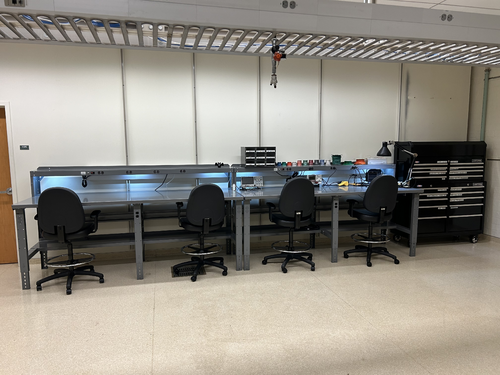
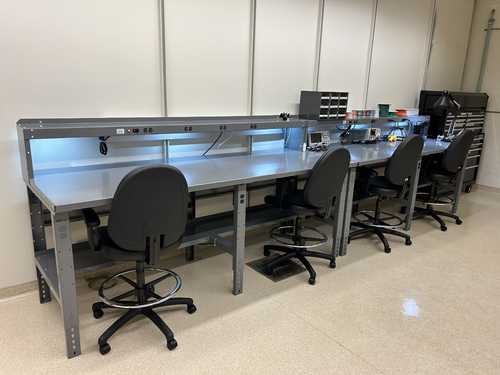
On Wednesday we completed the migration of the electronics workshop from 1119 to the large new workbenches in 1129. The two workstations pictured closest to the front of the room are for electronics assembly and testing, while the two in the rear will house LIGO CDS workstations. We moved all of the tools, cabling, and soldering and test equipment from 1119 to this new location. We also moved the large tool chest to 1129, as pictured, and moved the smaller tool chest to 1119 in its place.
The electronics workbench is ready for use. |
| Attachment 1: IMG_0765.jpg
|
|
| Attachment 2: IMG_0767.jpeg
|
|
|
291
|
Mon Dec 11 16:20:17 2023 |
Jon | Summary | TCS | FROSTI Assembly Procedure |
Below is the procedure we will follow to assemble the FROSTI prototype.
- Install SS guide rods and bottom Macor spacers in bottom reflector
- Install AlN elements on top of bottom Macor spacers
- Install upper Macor spacers on top of AlN elements
- Feed unterminated power and RTD leads through slots in upper reflector
- Install upper reflector, using guide rods to slowly lower into position
- Install vented SS bolts for reflectors; Macor bolts for heater elements
- Remove SS guide rods
- Bundle power and sensing cable with PEEK cable ties and SS cable mounts
- Terminate power and sensing cable bundles with PEEK DB25M connectors
|
|
294
|
Sun Dec 17 21:04:15 2023 |
Jon | Infrastructure | Clean & Bake | Clean and bake lab migrated to 1129 |
[Jon, Tyler, Aiden, Luke]
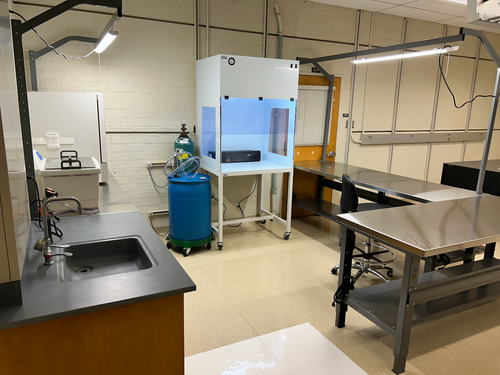
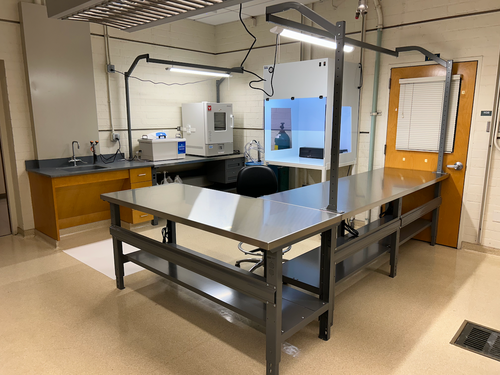
On Friday we completed assembly of the new stainless steel-topped benches in 1129. We then moved the clean and bake equipment from 1119 to its new larger space in 1129. This included the HEPA flow bench, ultrasonic washer, deionized water drum, nitrogen tanks, and forced-convection oven. The oven was re-anchored to the wall with earthquake restraints in its new location.
The power cords still need to be permanently routed, but the new clean and bake lab is otherwise ready for use. |
| Attachment 1: IMG_0781.png
|
|
| Attachment 2: IMG_0782.png
|
|
|
297
|
Wed Dec 20 10:33:34 2023 |
Jon | Infrastructure | Clean & Bake | Clean and bake lab migrated to 1129 |
Update: I have completed permanent routing of the electrical cables. I also ran the ultrasonic washer's drain line to the sink drain (the current hose does reach). The new clean and bake lab is now fully operational.
| Quote: |
|
[Jon, Tyler, Aiden, Luke]
On Friday we completed assembly of the new stainless steel-topped benches in 1129. We then moved the clean and bake equipment from 1119 to its new larger space in 1129. This included the HEPA flow bench, ultrasonic washer, deionized water drum, nitrogen tanks, and forced-convection oven. The oven was re-anchored to the wall with earthquake restraints in its new location.
The power cords still need to be permanently routed, but the new clean and bake lab is otherwise ready for use.
|
|
|
298
|
Fri Dec 29 16:02:27 2023 |
Jon | Configuration | Electronics | RTD Readout Chassis |
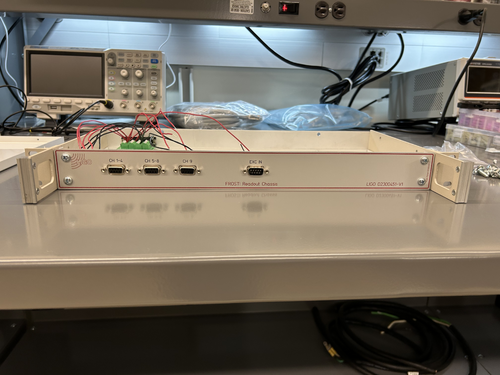
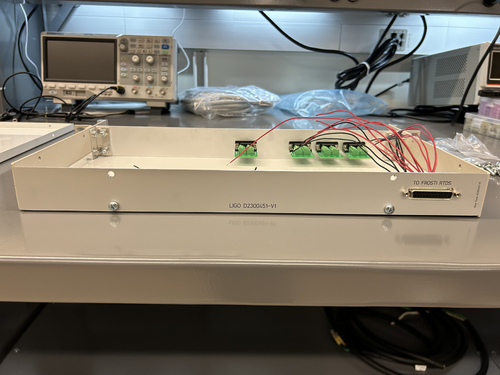
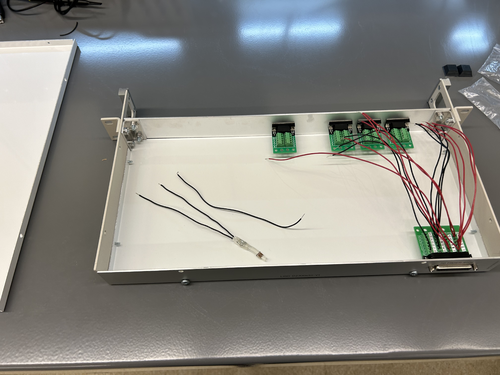
The custom front and rear panels for the RTD readout chassis arrived last Friday. I installed them in the chassis frame to check their fit. They fit very well, so all that now remains is to complete the internal wiring and test the connections.
The chassis panel designs are archived to LIGO-D2300452 and LIGO-D2300453.
| Quote: |
|
Below are a basic diagram of what the RTD measurement circuit logically looks like and an example schematic of the actual wiring. The schematic wiring will be placed internally into a chassis, connected to the RTDs via DB25 cable.
Note: The DB25 Breakout Board connector is Female, not Male. |
|
| Attachment 1: front.jpeg
|
|
| Attachment 2: rear.jpeg
|
|
| Attachment 3: overhead.jpeg
|
|
|
303
|
Mon Jan 15 22:29:34 2024 |
Jon | Infrastructure | General | Cabinet installation & lab clean-up completed |
[Jon, Tyler, Aiden, Shane, Pooyan, Michael, Cynthia, Luke]
On Wednesday, we completed long list of work towards making the new lab (1129) fully operational and enabling the next phase of FROSTI testing.
Cabinet Installation
Three new VWR cabinets with sliding glass doors were installed in 1129. Each unit measures 48" (W) x 22" (D) x 84" (H) and sits along the back wall (see attachment 1). The 350-lb. cabinets were laid in place by Facilities on Monday and permanentized on Wednesday. Work included:
- Earthquake anchoring to the masonry wall
- Sliding glass doors leveled
- Shelving installed
- Wiping down of interior and exterior surfaces with IPA wipes
Server Rack Installation
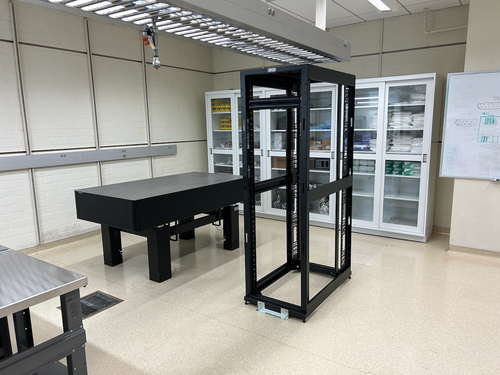
A new Tripp Lite 42U open-frame rack was laid in place in 1129 and anchored to the floor (see attachment 1). This rack will house all of our general-purpose and simulation computers, which will be relocated from the 1119 rack at a later time.
Lab Clean-Up
Following installation of the new cabinets and rack, we proceeded to organize and clean both labs. Work included:
- Moved parts and equipment into permanent storage in 1129 cabinets
- Wiped down surfaces in 1119 and 1129 with polypropylene IPA wipes
- HEPA-vacuumed floors of 1119 and 1129
- Mopped floor in 1119 with Liquinox solution
- Installed new sticky mats in 1119 and 1129
- Regular cleanroom cleaning and particle counts (see 302)
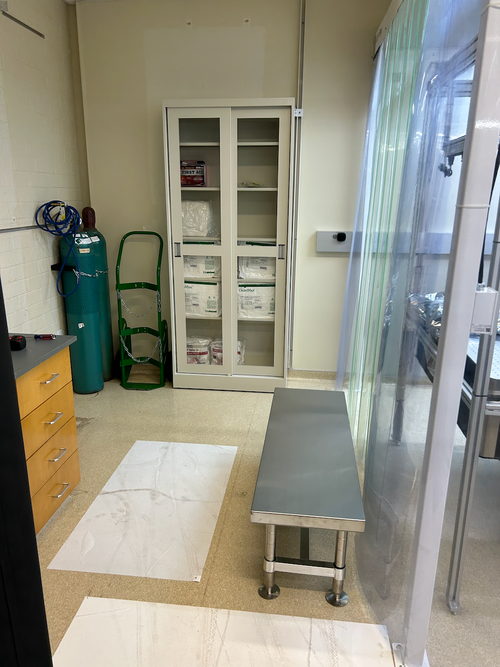
- Positioned new stainless steel gowning bench outside the cleanroom (see attachment 2)
At this point, the only piece of lab equipment still to be delivered is a HEPA garment cabinet for reusing our (semi-disposable) bunny suits. It is schedule to arrive in mid-February and will sit outside the cleanroom in 1119, in the former location of the HEPA flow bench. |
| Attachment 1: 1129.png
|
|
| Attachment 2: 1119.png
|
|
|
313
|
Fri Feb 2 16:56:56 2024 |
Jon | Update | CDS | RTS model implemented for FROSTI RTD readouts |
Summary
Today I finished implementing an RTS model to read out the integrated FROSTI RTDs (temperature sensors) via the CyMAC. The model is named "MSC" and is located at cymac:/opt/rtcds/usercode/models/c1msc.mdl. We successfully tested it with the heater elements operating in vacuum at low power (12 VDC), finding them to reach an average steady-state temperature of 160 C.
From the cymac host, the MEDM control screen can be accessed with the terminal command "sitemap" (from any directory).
Measurement Technique
Each FROSTI heater element [299] contains an internal two-wire RTD placed near the front emitting surface, which enables the temperature of the blackbody emitter to be directly monitored. From the measured temperature and the emissivity of the uncoated aluminum nitride surface (known to be ~1 in the IR), the radiated source-plane power can also be estimated.
The resistance of each RTD is measured via a ratiometric technique. The RTDs are powered in series with a 1 kΩ reference resistor located inside the readout chassis [305], whose temperature is not changing. The signal is obtained by taking the ratio of the voltage difference across each individual RTD to the voltage difference across the reference resisitor. The advantage of this technique is that the ratio of the voltage differences is insensitive to changes in the current through the resistors (since they are all in series; see [271] for wiring diagram).
Implementation Detail
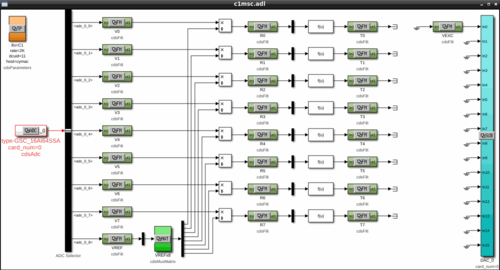
The signal flow is shown in Attachment 1. The eight RTD signals enter through ADC channels 0-7, along with the reference resistor signal on channel 8. The first set of filter modules apply a calibration gain to convert the signals from raw ADU counts to units of input-referred voltage. The ratio of each RTD signal to the reference resistor signal is then taken. The second set of filter modules multiply the voltage-difference ratios by the resistance of the reference resistor, 1 kΩ ± 0.01%, to obtain the RTD resistances in physical units of ohms.
Finally, a freeform math module is used to invert the quadratic relation between each RTD's resistance and temperature. The final signals passed to the third set of filter modules are the RTD temperatures in physical units of degrees C. The temperatures of the tungsten RTDs are estimated assuming TCR coefficients of A=0.0030 C-1 (±10%) and B=1.003E-6 C-2, which were provided by the manufacturer.
One DAC channel is used to provide the excitation voltage for the RTD measurement, which is visible on the far right of the control screen. At its maximum output voltage of +10 V, the DAC can drive a maximum current of 10 mA. |
| Attachment 1: sitemap_screen.png
|
|
|
327
|
Fri Feb 16 18:37:28 2024 |
Jon | Update | VAC | Bake ended 6:23 pm |
I ended the bake of the UHV system (that began on Monday) at 6:23 pm today by switching OFF both PID controllers. The heaters elements were run at max power (24 V DC / 200 mA per element) during this bake, and I left them powered at the same level.
At the time, the instrument readings were as follows:
- Left high-limit controller: 138 C
- Right high-limit controller: 128 C
- Left PID controller: 100 C
- Right PID controller: 100 C
- Main volume pressure: 8.17e-7 Torr
- RGA volume pressure: 4.63e-7 Torr
|
|
330
|
Tue Feb 20 08:01:30 2024 |
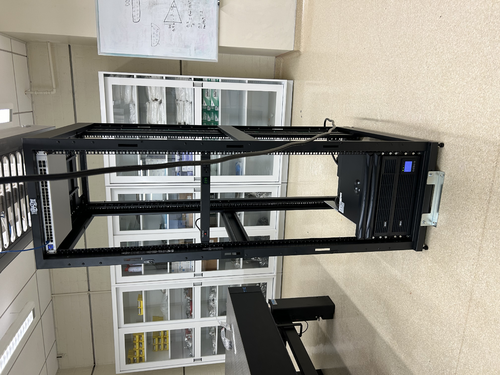
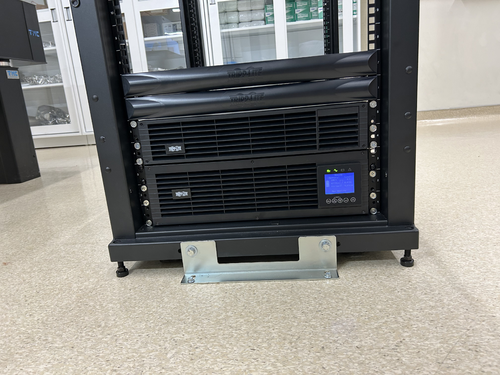
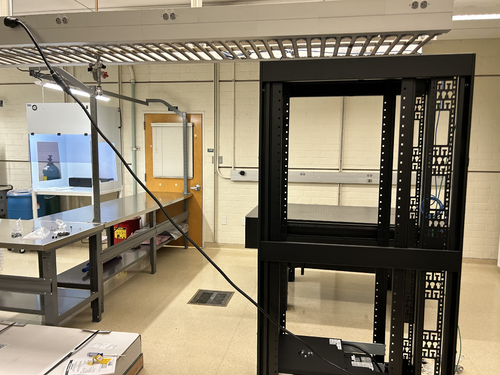
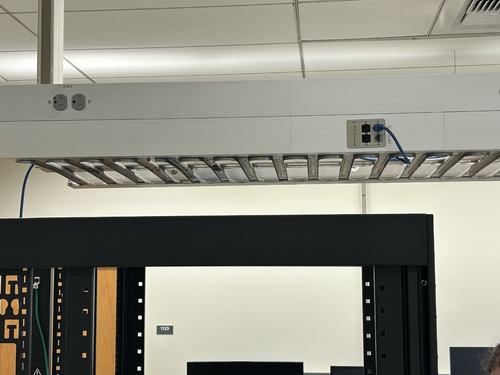
Jon | Infrastructure | General | Power and network equipment installed in 1129 rack |
| [Jon, Tyler, Pooyan, Luis, Luke, Peter]
On Thursday we installed the power conditioning/distribution equipment and networking equipment in the new 1129 rack. The hardware is identical to the setup in the 1119 rack and includes:
- Tripp Lite SU5KRT3UTF - 208V, 5kVA on-line UPS with 120V transformer
- CyberPower PDU20M2F12R - metered power distribution unit, (14) NEMA 5-20R
- Ubiquiti USW-Pro-48 - 48 port 10Gbps network switch
The UPS is connected to a 208V NEMA 6-30R outlet in the overhead cable tray, which is on the building's "standby" (backup power) circuit. An 8-ft L6-30 extension cord has been ordered to permanently run the power cable through the cable tray.
The network switch will be connected to a Cat6 cable that was recently run by ITS from the 1119 rack, allowing the lab's LAN to be extended into 1129. This Ethernet link remains to be tested.
| Quote: |
Server Rack Installation
A new Tripp Lite 42U open-frame rack was laid in place in 1129 and anchored to the floor (see attachment 1). This rack will house all of our general-purpose and simulation computers, which will be relocated from the 1119 rack at a later time.
|
|
| Attachment 1: IMG_0924.jpeg
|
|
| Attachment 2: IMG_0925.jpeg
|
|
| Attachment 3: IMG_0921.jpeg
|
|
| Attachment 4: IMG_0922.jpeg
|
|
|
335
|
Thu Feb 22 21:48:16 2024 |
Jon | Update | VAC | Vacuum vent for RGA testing of reflector |
[Jon, Tyler, Luke, Aiden]
Summary
Following Wednesday's cleanroom cleaning [333], we proceeded to vent the vacuum chamber, remove the heater elements and their mount structure, and install the FROSTI reflectors. The reflectors are the final components to undergo RGA testing before the FROSTI prototype can be assembled. After installing the reflectors, we pumped the chamber back down and initiated a 48-hour 125 C bake.
Vacuum Vent
At ~1:00 pm, we shut off power to all eight of the FROSTI heater elements. Prior to shutoff, all were operating in vacuum at roughly 300 C. We then waited approximately 30 minutes for the elements' temperatures to fall below 50 C.
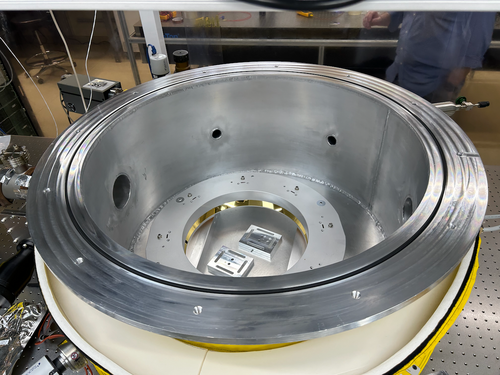
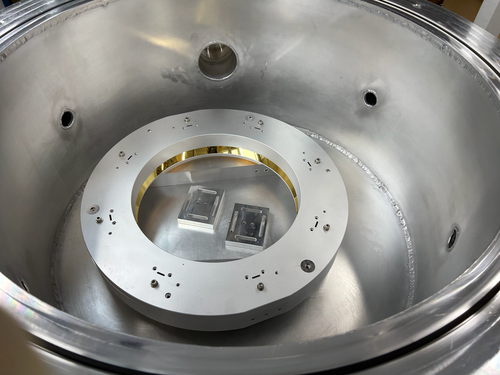
At this point, we isolated the RGA volume from the main volume by closing both gate valves, leaving the RGA volume to continue to be pumped through the bypass line. We then backfilled the main volume via the needle valve connected to one of the 2.75" ports. Once the pressures had equalized, we removed the chamber lid via our usual procedure (requiring only a small amount of flathead-screwdriver prying) and extracted the heater element assembly.
Reflector Assembly
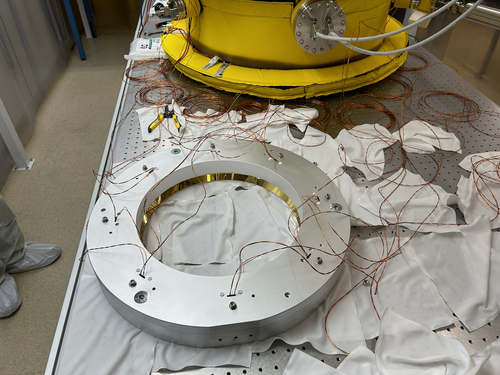
We then removed the FROSTI reflectors from their protective packaging (for the very first time) on the cleanroom tabletop. We tested the fit of the Macor and stainless steel hardware in the reflectors' tapped holes. The Macor standoffs and bolts appear to fit perfectly. However, the 1/4-20 tapped holes for joining the two reflector halves are too shallow by ~1/4". As a temporary fix, we used some on-hand stainless steel washers (which had already been cleaned and baked) to securely fasten the two halves together. In the final assembly we will replace these with slightly shorter 1/4-20 vented bolts.
Pumpdown and Bake
The two fastened reflector halves were placed inside the chamber, sitting on top of the two mounting legs (see attached photos). We then reinstalled the lid. In order to rough the main volume, we isolated the RGA volume from the pumpline (by closing the bypass line valve), shut down the pumps, and then backfilled the pumpline via the manual vent valve on the turbo pump.
Once the pressures had equalized, we opened the 6" gate valve separating the pumpline from the main volume and powered on the roughing pump. Once the main volume pressure fell below 0.5 Torr, we powered on the turbo pump as well. The main volume pressure reached 5e-6 Torr within ~30 minutes, consistent with previous experience, and was continuing to slowly fall.
Lastly, we initiated a 125 C bake-out of the entire system following our usual procedure. We plan to run this bake for 48 hours (i.e., through the end of the day Friday). |
| Attachment 1: IMG_0938.png
|
|
| Attachment 2: IMG_0939.png
|
|
|
339
|
Sat Feb 24 08:53:38 2024 |
Jon | Infrastructure | Computers | Matlab upgraded to 2023b on Chimay |
| I upgraded Matlab on chimay to the latest stable release, 2023b. From some quick tests, it appears to be in working order. Let me know of any issues. |
|
341
|
Mon Feb 26 21:23:27 2024 |
Jon | Update | TCS | FROSTI Assembly - Day 1 |
| [Jon, Tyler, Luis, Luke, Mohak, Cynthia, Michael, Aiden]
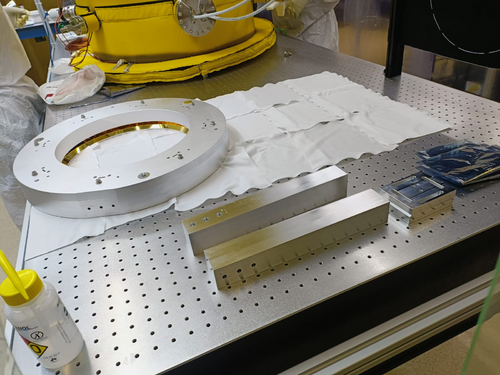
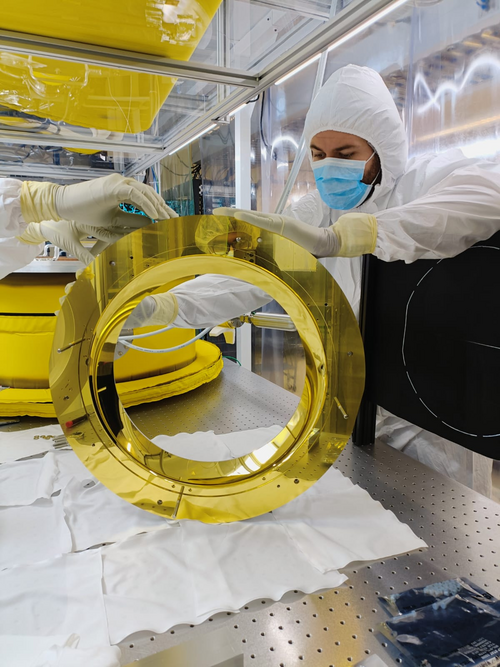
FROSTI assembly began today. After a final set of RGA scans were taken, the vacuum chamber was vented and the reflectors were removed. The chamber was then resealed and pumped down again.
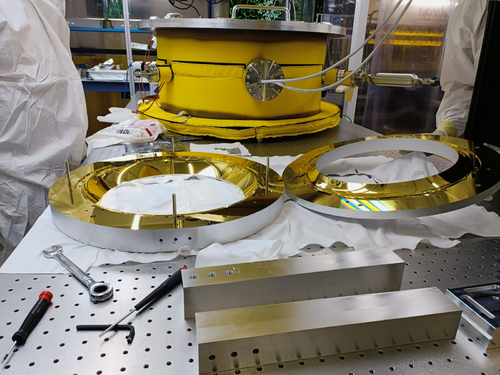
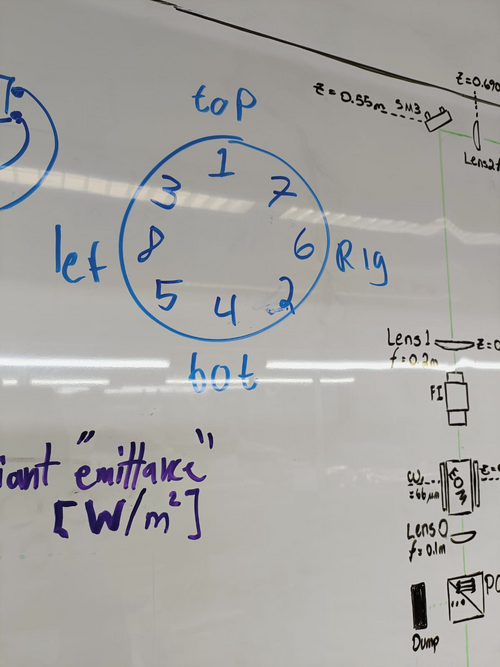
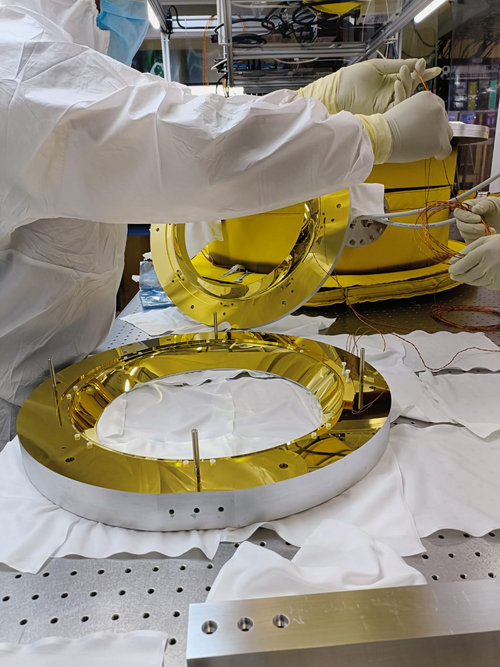
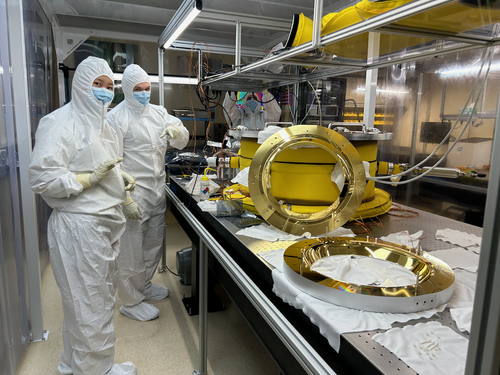
Today we completed the installation of the Macor hardware and heater elements between the two reflector halves. Tomorrow we will route, bundle, and terminate the power and sensor cables. |
| Attachment 1: IMG-20240226-WA0008.jpg
|
|
| Attachment 2: IMG-20240226-WA0006.jpg
|
|
| Attachment 3: IMG-20240226-WA0011.jpg
|
|
| Attachment 4: IMG-20240226-WA0010.jpg
|
|
| Attachment 5: IMG-20240226-WA0012.jpg
|
|
| Attachment 6: IMG_0944.png
|
|
| Attachment 7: IMG_0946.png
|
|
|
379
|
Thu Jun 20 18:01:11 2024 |
Jon | Infrastructure | Computers | New workstation ws3 in 1129 |
| I have repurposed a spare Intel NUC to serve as the first of two planned workstations in 1129. Today I set it up with a fresh installation of Debian 12.5, assigned it the static IP address 192.168.1.15, and installed the LIGO CDS workstation packages. It is assigned the host name ws3.
Temporarily, the mouse is borrowed from ws1 in 1119. We need to order another mouse as well as a 25-ft Ethernet cable for connecting the workstation to the 1129 switch, via the ceiling. |
|
385
|
Wed Jun 26 15:33:41 2024 |
Jon | Infrastructure | Computers | New workstation ws3 in 1129 |
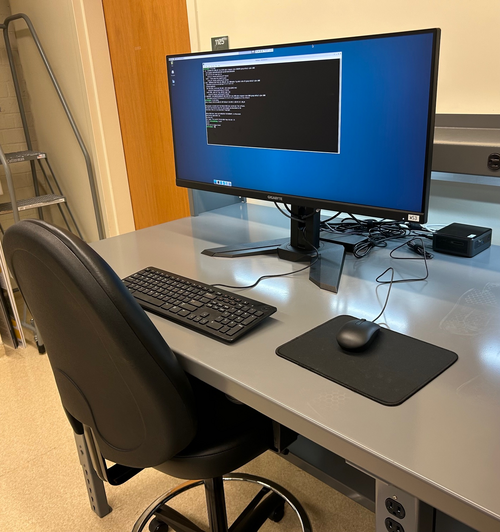
Set-up of the first CDS workstation for 1129, ws3, is complete and the machine is ready for use. The login credentials are the same as the other lab machines.
All that now remains is to install a permanent cable tray for running the new Ethernet cables between the electronics rack and bench (they are currently dangling from the suspended lights).
| Quote: |
| I have repurposed a spare Intel NUC to serve as the first of two planned workstations in 1129. Today I set it up with a fresh installation of Debian 12.5, assigned it the static IP address 192.168.1.15, and installed the LIGO CDS workstation packages. It is assigned the host name ws3.
Temporarily, the mouse is borrowed from ws1 in 1119. We need to order another mouse as well as a 25-ft Ethernet cable for connecting the workstation to the 1129 switch, via the ceiling. |
|
| Attachment 1: IMG_1368.jpg
|
|
|
402
|
Thu Jul 11 21:01:37 2024 |
Jon | Infrastructure | General | Cable tray installed in 1129 |
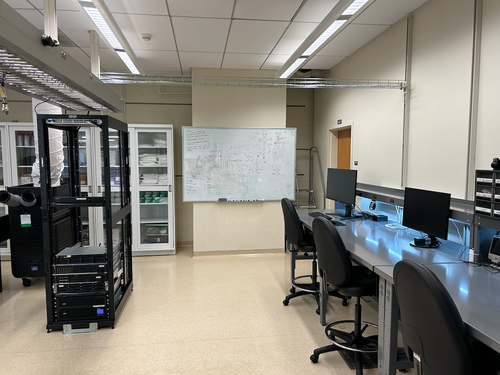
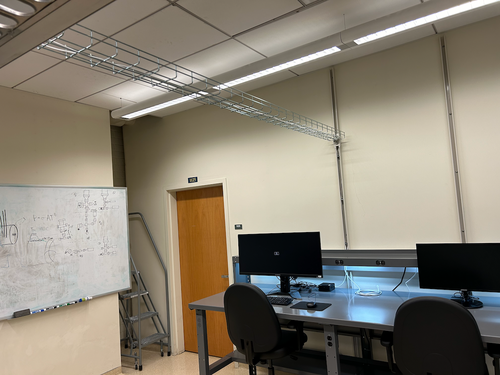
| Today I installed a 10' cable tray in 1129, for permanently routing Ethernet lines to the workstations. It is securely bolted to C-channels in the side wall and in the center cable tray. |
| Attachment 1: IMG_1395.png
|
|
| Attachment 2: IMG_1396.png
|
|
|
412
|
Fri Jul 26 17:25:42 2024 |
Jon | Infrastructure | Computers | New workstation ws4 installed in 1129 |
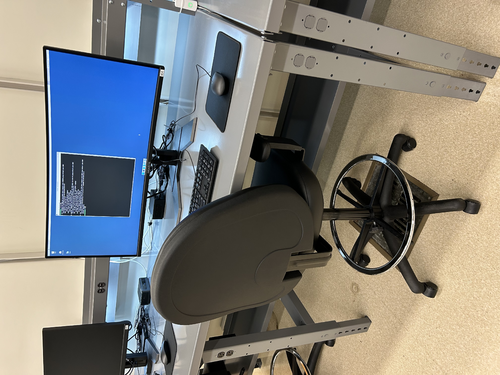
Today I installed the second desktop workstation in 1129. The new machine is an Intel NUC13ANHi5, with a 12-Core Intel i5-1340P CPU, 32GB DDR4 RAM, and a 1TB SSD.
I loaded it with a fresh installation of Debian 12 and installed the LIGO CDS workstation (control room) tools. It is assigned the hostname ws4 and and the static IP address 192.168.1.19 on the local lab network. Like the other CDS workstations, there is just one user account accessible with the usual credentials.
The machine is fully set up and ready for use. |
| Attachment 1: ws4.jpg
|
|
|
418
|
Tue Jul 30 07:42:47 2024 |
Jon | Infrastructure | General | Cable tray installed in 1119 |
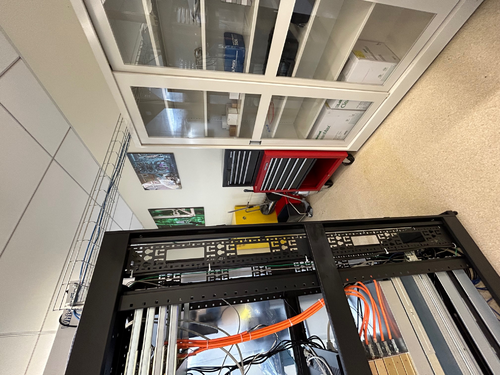
| Yesterday I installed another 5' cable tray in 1119, for permanently routing Ethernet lines to the L-bench. It is securely bolted to the top of the electronics rack, on one end, and to the top of the glass-door storage cabinet, on the other. This eliminates the need for the cable ramp which previously sat behind the rack. |
| Attachment 1: cable_tray_1119.jpg
|
|